IT costs often increase through routine work rather than major projects.
Patching devices, deploying software, restarting services, creating user accounts, checking backups, and preparing reports may only take a few minutes each. Across dozens or hundreds of systems, however, those tasks consume a significant amount of IT time.
Remote automation reduces that workload by turning repetitive IT tasks into controlled workflows.
The goal is not to automate every IT decision. It is to remove predictable work while keeping human oversight where it matters.
What Is Remote Automation?
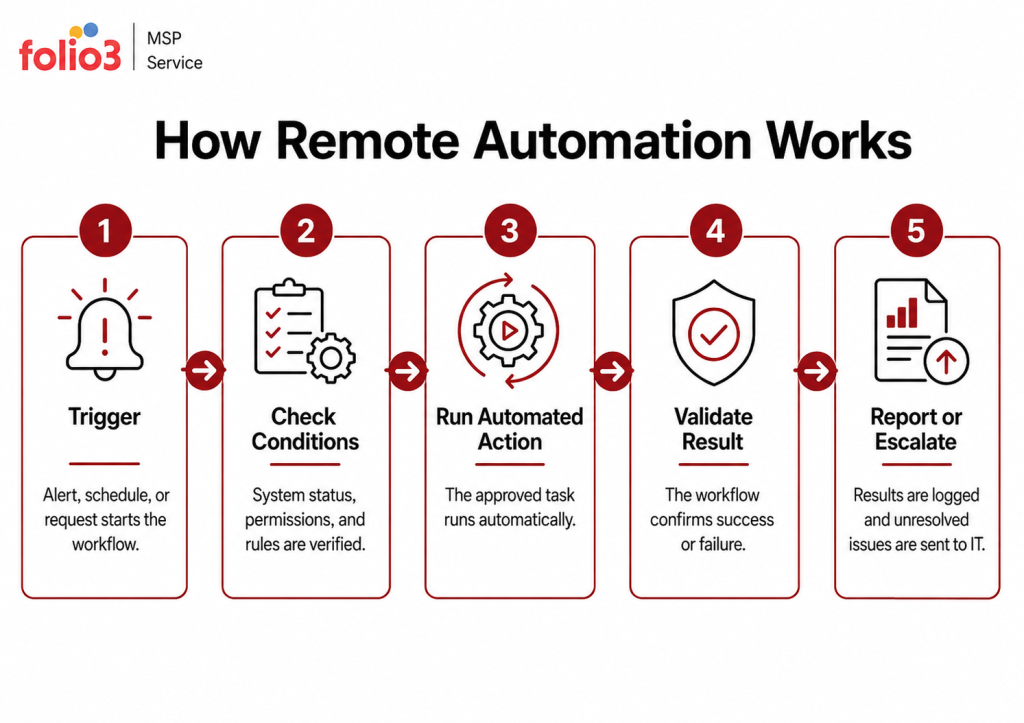
Remote automation uses scripts, monitoring tools, policies, integrations, and remote management platforms to perform IT tasks across devices, servers, and applications.
A workflow may be:
- Scheduled to run automatically
- Triggered by a monitoring alert
- Started by an authorized technician
- Connected to a service request
- Escalated when the issue cannot be resolved
For example, an IT team may need to install an application update across 100 employee devices.
Without automation, technicians may need to connect to devices individually or rely on users to complete the installation.
With remote automation, the update can be tested, deployed to approved devices, validated, and reported from one central platform.
Remote Automation vs. Remote Access
Remote access allows a technician to connect to a device and complete the work manually.
Remote automation allows an approved workflow to perform the task.
For example, if an application service stops:
- With remote access, an engineer logs in and restarts it.
- With remote automation, monitoring detects the failure, restarts the service, checks the result, and escalates the issue if it continues.
Remote access remains useful for complex troubleshooting. Remote automation is better for predictable and repeatable tasks.
Which IT Tasks Can Be Automated?
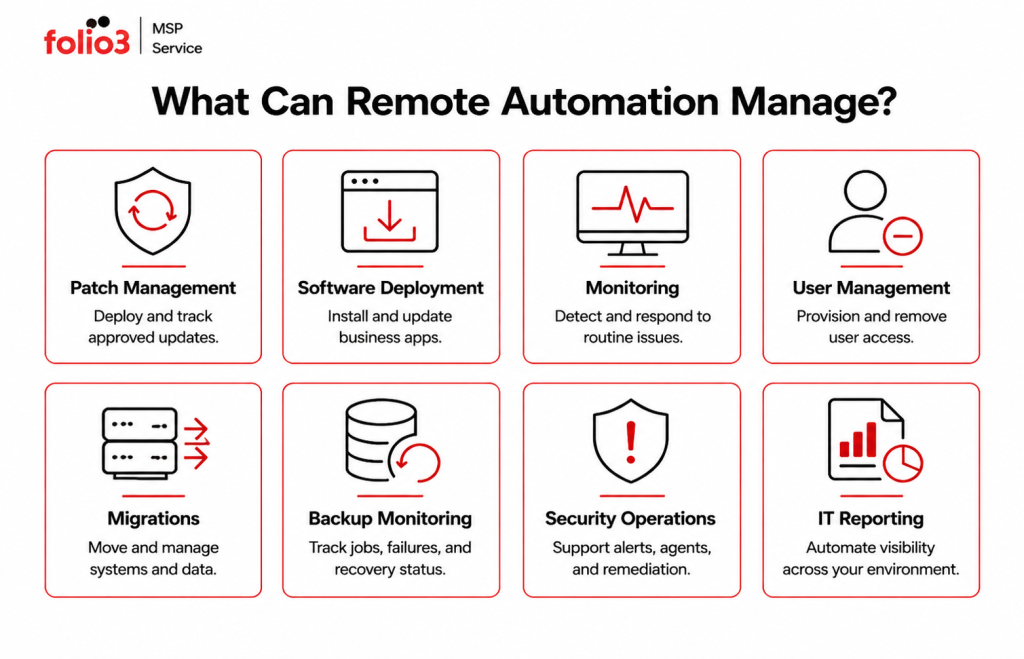
Patch Management
Remote automation can:
- Identify missing updates
- Deploy approved patches
- Schedule restarts
- Retry failed installations
- Generate compliance reports
This reduces patching effort and helps keep devices updated consistently.
Software Deployment
Applications can be installed, updated, repaired, or removed across remote and office devices.
This may include:
- Business applications
- Security agents
- Browser updates
- Collaboration tools
- Configuration files
The workflow can confirm whether installation was successful and flag devices that need manual attention.
Monitoring and Remediation
Remote monitoring can take an approved first action when a common issue is detected.
Examples include:
- Restarting failed services
- Clearing temporary storage
- Repairing management agents
- Collecting diagnostic logs
- Correcting known configuration problems
If automation cannot resolve the issue, it can send the service desk the relevant information.
User Onboarding and Offboarding
Remote automation can help create accounts, assign licenses, deploy applications, apply permissions, and document completed onboarding steps.
During offboarding, it can disable accounts, revoke sessions, remove access, and recover licenses.
This improves consistency and reduces the chance of important steps being missed.
Backup Monitoring
Automation can:
- Check backup status
- Alert teams to failed jobs
- Retry approved failures
- Monitor storage capacity
- Check backup agent health
- Escalate repeated problems
This does not replace recovery testing, but it makes daily backup oversight more reliable.
Migration Operations
A successful migration requires more than moving workloads. Post-migration operations ensure systems remain stable, accessible, and aligned with business needs.
Key migration activities include:
- Application and workload validation
- Data integrity checks
- User access and identity verification
- Network and connectivity testing
- Performance monitoring
- Legacy environment decommissioning
These processes help reduce disruption, confirm migration success, and ensure the new environment is ready for ongoing business operations.
Security Operations
Security automation may support:
- Security agent deployment
- Configuration checks
- Alert enrichment
- Approved device isolation
- Suspicious account containment
- Incident escalation
Sensitive actions should still use approval controls and audit logging.
IT Reporting
Automated reports can provide visibility into:
- Device health
- Patch compliance
- Backup results
- Software inventory
- Security coverage
- License usage
This reduces the time spent manually collecting information from several tools.
How Does Remote Automation Reduce IT Costs?
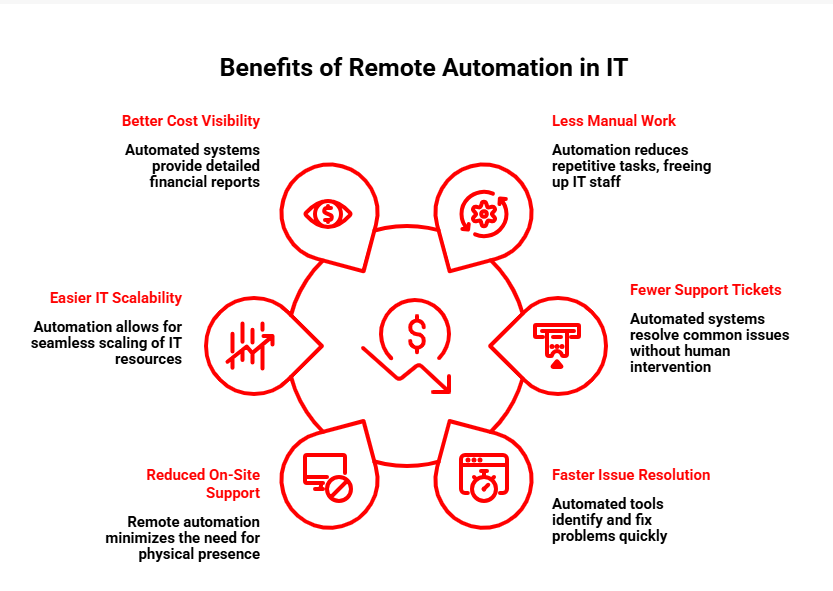
Reduces Manual Work
Routine tasks can run across multiple systems without requiring technicians to repeat the same process manually.
Lowers Support Demand
Known issues can be resolved automatically or diagnosed before reaching the service desk.
This reduces time spent on basic investigation.
Helps Prevent Downtime
Automation can respond to issues such as stopped services, failed backup agents, low storage, or missing updates before they create larger disruptions.
Reduces On-Site Support
Many software, maintenance, and configuration tasks can be completed remotely.
On-site support can then be reserved for hardware and physical infrastructure issues.
Helps IT Teams Scale
As businesses add users, devices, and applications, the amount of manual administration normally increases.
Remote automation allows IT teams to support a larger environment without increasing routine work at the same rate.
Improves Cost Visibility
Automated checks can identify:
- Unused licenses
- Inactive accounts
- Unsupported devices
- Outdated software
This helps reduce unnecessary technology spending.
A Simple Cost Example
Consider an IT team that spends the following time on recurring tasks:
| Task | Monthly Manual Time |
| Patch deployment | 18 hours |
| User onboarding | 12 hours |
| Backup checks | 8 hours |
| Device reporting | 10 hours |
| Total | 48 hours |
If remote automation reduces this workload by half, the team regains approximately 24 hours each month.
That time can be used for:
- Security improvements
- Infrastructure upgrades
- Business system projects
- User support
- Strategic planning
The value of remote automation is not only the time saved. It is also the higher-value work the IT team can focus on instead.
What Should You Automate First?
The best starting points are tasks that are:
- Repeated frequently
- Based on clear rules
- Easy to measure
- Low to moderate risk
- Reversible
- Time-consuming when completed manually
Common first projects include:
- Patch reporting
- Standard software deployment
- Device health checks
- Backup monitoring
- User provisioning
- Disk cleanup
- Approved service restarts
Starting with simple workflows allows the team to test automation safely before applying it to more sensitive processes.
Which Tasks Should Stay Human-Led?
Not every IT task should run automatically.
Human approval is still important for:
- Deleting business data
- Changing firewall rules
- Restarting production systems
- Restoring databases
- Disabling sensitive accounts
These workflows can still be partially automated.
Automation may gather information, check prerequisites, and prepare the action. An authorized person then approves the final step.
Remote Automation Best Practices
A reliable automation program should include:
- Clear process documentation
- Least-privilege permissions
- Pilot testing
- Validation after each action
- Audit logging
- Rollback procedures
- Approval for high-risk changes
- Regular workflow reviews
Automation should be measured through outcomes such as time saved, tickets reduced, faster resolution, and improved compliance.
Does Remote Automation Replace IT Teams?
No.
Remote automation handles repetition. IT professionals remain responsible for:
- Complex troubleshooting
- Security incidents
- Architecture decisions
- Risk management
- User communication
- Vendor management
- Strategic improvements
The purpose is to reduce low-value manual work, not remove technical expertise.
How Folio3 Supports Remote Automation
Folio3 helps businesses identify, build, test, and manage remote automation across their IT environments.
Automation opportunities may include:
- Endpoint monitoring
- Patch management
- Software deployment
- User onboarding and offboarding
- Backup monitoring
- Security workflows
- IT reporting
Each workflow can include defined triggers, validation, logging, escalation, approvals, and rollback requirements.
Because Folio3 also supports managed IT, migration services, cybersecurity, infrastructure, and disaster recovery, automation can be designed around the wider IT environment rather than as an isolated script.
Frequently Asked Questions
Remote automation uses centralized tools and workflows to complete routine IT tasks without requiring a technician to perform every step manually.
Common examples include patching, software deployment, user provisioning, backup monitoring, system health checks, cloud scheduling, security tasks, and reporting.
It reduces repetitive labor, lowers support demand, limits on-site work, improves cost visibility, and helps IT teams manage larger environments.
Yes, when workflows use least-privilege access, testing, validation, logging, approvals, and rollback procedures.
Yes. It can reduce routine work for internal teams, support co-managed IT, or form part of a managed IT service.
Some legacy systems can support full or partial automation, depending on their integrations, stability, and access methods.